
How to Create the Best Podcast Mic Setup for Your Recording Space (2025 Guide)
A strong podcast mic setup is the foundation of high-quality audio. USB mics are ideal for beginners, while XLR mics deliver professional-grade sound. Accessories like boom arms, pop filters, and acoustic treatment dramatically improve quality, even in small rooms. This guide breaks down beginner, intermediate, and pro setups, plus essential tools, mistakes to avoid, and FAQs to help you create a studio-quality recording space anywhere.
How to Create the Best Podcast Mic Setup for Your Recording Space
In 2025, sound quality is one of the biggest predictors of podcast success. Listeners will forgive an imperfect idea, but they won’t forgive inconsistent, echo-filled, or low-quality audio. The microphone you choose — and how you set it up — directly influences listener retention, show credibility, and even your ability to secure sponsorships.
The good news? You don’t need a full studio to sound like one. With the right podcast mic setup, strategic accessories, and a properly treated recording space, you can achieve broadcast-quality sound from home, a small office, or a rented space.
Whether you’re planning your first podcast or upgrading your current setup, this guide covers everything you need to know: essential equipment, mic comparisons, room-treatment tips, and detailed setups for beginners to professionals.
Importance of Quality Audio in Podcasting
The average listener decides within 8–12 seconds whether they’ll stay or leave. Poor audio leads to:
- Lower retention
- Fewer subscribers
- Reduced professionalism
- Challenges securing sponsorship
- Listener fatigue
Great audio, however, builds trust instantly. A good podcast mic setup enhances your brand and delivers a polished listener experience, which directly impacts your ability to grow.
Overview of Essential Podcasting Equipment
A complete podcast mic setup typically includes:
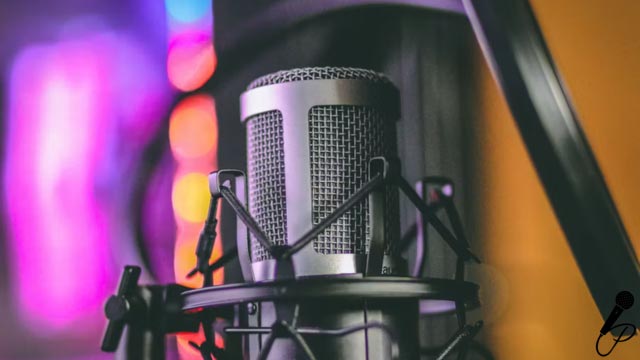
- Microphone (USB or XLR)
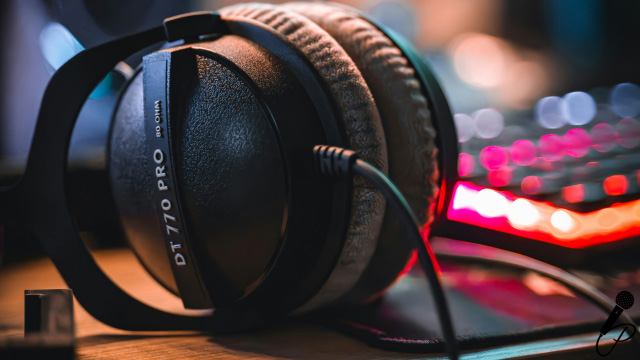
- Headphones
- Boom arm or mic stand
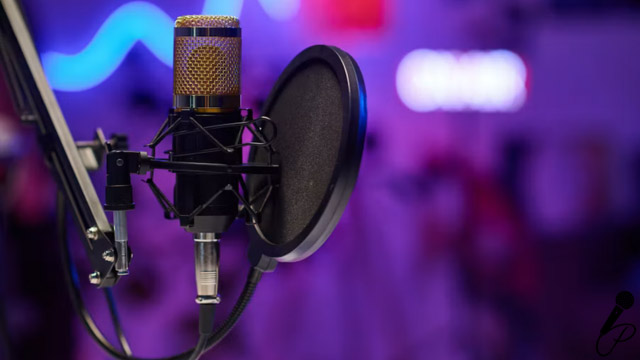
- Pop filter or foam windscreen
- Shock mount
- Audio interface (for XLR mics)
- Acoustic treatment
- Recording/editing software
- Hosting platform
If you’re new, you don’t need everything today — but every item on this list improves clarity and consistency.
For beginners who want a full overview of getting started, explore:
→ Podcast Strategy & Show Development
Criteria for Choosing the Right Microphone
Before buying a mic, consider:
Your Recording Environment
- Quiet room → More mic options
- Echoey or untreated room → Choose dynamic mics
Your Budget
Podcast mics range from $70 to $1,000+. The best choice depends on your goals.
Your Technical Comfort Level
- USB = beginner-friendly
- XLR = more control + best quality
Your Show Style
Solo recordings, co-hosts, remote interviews, or in-person conversations all influence which mic and accessories you need.
Top 7 Podcast Mic Setups for Crystal Clear Sound (2025)
Below are optimized podcast mic setups built for different skill levels and budgets.
| Setup | Best For | Microphone | Accessories / Gear | Price Range |
| 1. Beginner Setup | New podcasters needing plug-and-play ease | Audio-Technica ATR2100x-USB | Pop filter, desk boom arm | $150–$250 |
| 2. Mobile / Travel Setup | Recording on location | Shure MV88+ | Mini tripod, phone mount, foam windscreen | $150–$350 |
| 3. Intermediate Setup | Better control & higher consistency | Rode PodMic (XLR) | Focusrite Scarlett Solo, PSA1+ boom arm, shock mount | $300–$600 |
| 4. Hybrid USB/XLR Setup | Podcasters leveling up gradually | Shure MV7 (USB + XLR) | — | $400–$800 |
| 5. Professional Studio Setup | High-volume creators & brands | Shure SM7B | RodeCaster Duo, PSA1+ arm, Cloudlifter (optional) | $800–$1,500 |
| 6. Two-Host Setup | Co-hosts recording together | 2× Rode PodMic | 2× boom arms, RodeCaster Pro II | $600–$1,200 |
| 7. Interview Studio Setup | Multi-guest or panel interviews | 2–4× Shure SM7B | RodeCaster Pro II, acoustic panels, studio boom arms | $1,500–$3,000 |
USB vs. XLR Microphones: Which Is Best for You?
Here’s a comparison table optimized for SEO and snippet capture:
| Feature | USB Microphones | XLR Microphones |
| Setup Difficulty | Easy | Moderately complex |
| Sound Quality | Good | Excellent |
| Best For | Beginners, solo hosts | Professional studios, multi-host setups |
| Requires Interface? | No | Yes |
| Flexibility | Limited | Maximum control |
| Average Price | $70–$300 | $150–$1,000+ |
Additional Accessories for Optimal Sound Quality
These inexpensive accessories dramatically improve your sound:
- Boom arm
- Pop filter
- Foam windscreen
- Shock mount
- Acoustic foam or panels
- Bass traps
- Rug or thick curtains (sound dampening)
Need help diagnosing your audio quality?
→ Equipment Diagnostic & Soundcheck
Tips for Setting Up Your Podcasting Space
- Record in a small, soft-furnished room
- Avoid rooms with bare walls
- Speak close to the mic (2–4 inches)
- Turn off AC/fans
- Reduce gain and speak slightly off-axis
Treat the wall behind your mic, not just behind you
Common Mistakes to Avoid in Podcast Mic Setup
- Recording too far from the mic
- Using built-in laptop microphones
- Ignoring room echo
- Overprocessing (too much compression or EQ)
- Setting gain too high
- Skipping acoustic treatment
Not monitoring live audio
Maintenance and Care for Your Podcast Mic
- Keep your mic covered
- Avoid moisture
- Clean grills with a soft brush
- Replace pop filters over time
- Store cables properly
Update audio interfaces periodically
FAQs: Best Podcast Mic Setup (2025)
What is the best microphone for podcasting in 2025?
For beginners, the ATR2100x-USB is the best overall pick. For professionals, the Shure SM7B continues to be the industry standard.
Do I need an audio interface for podcasting?
Only if you are using an XLR microphone. USB mics plug directly into your computer.
How far should I sit from the microphone?
2–4 inches is ideal. For dynamic mics like the SM7B, even closer is better.
What’s the best podcast mic setup for a small room?
A dynamic microphone + acoustic treatment + boom arm. Dynamic mics reject background noise best.
Can I improve podcast audio without buying new equipment?
Yes — treat your room, adjust gain properly, get closer to the mic, and eliminate background noise.
Should I use a USB or XLR mic?
Beginners should start with USB for simplicity. Professionals, studios, and multi-host shows benefit from XLR flexibility.
Conclusion: Elevate Your Podcast Audio Experience
Your podcast mic setup is the backbone of your audio quality. Whether you’re recording from a home office, studio, or travel setup, the right microphone, accessories, and room treatment will dramatically improve listener satisfaction and podcast growth.
If you want expert support to level up your sound, brand, and production:
Produce Your Podcast offers full-service consulting, production, editing, and marketing for brands that want to launch or scale a professional podcast.
Click here to schedule a conversation with our team and get started on a high-quality podcast that elevates your brand.